Cellular vs Wi-Fi Trail Camera: A B2B Buyer's Decision Guide
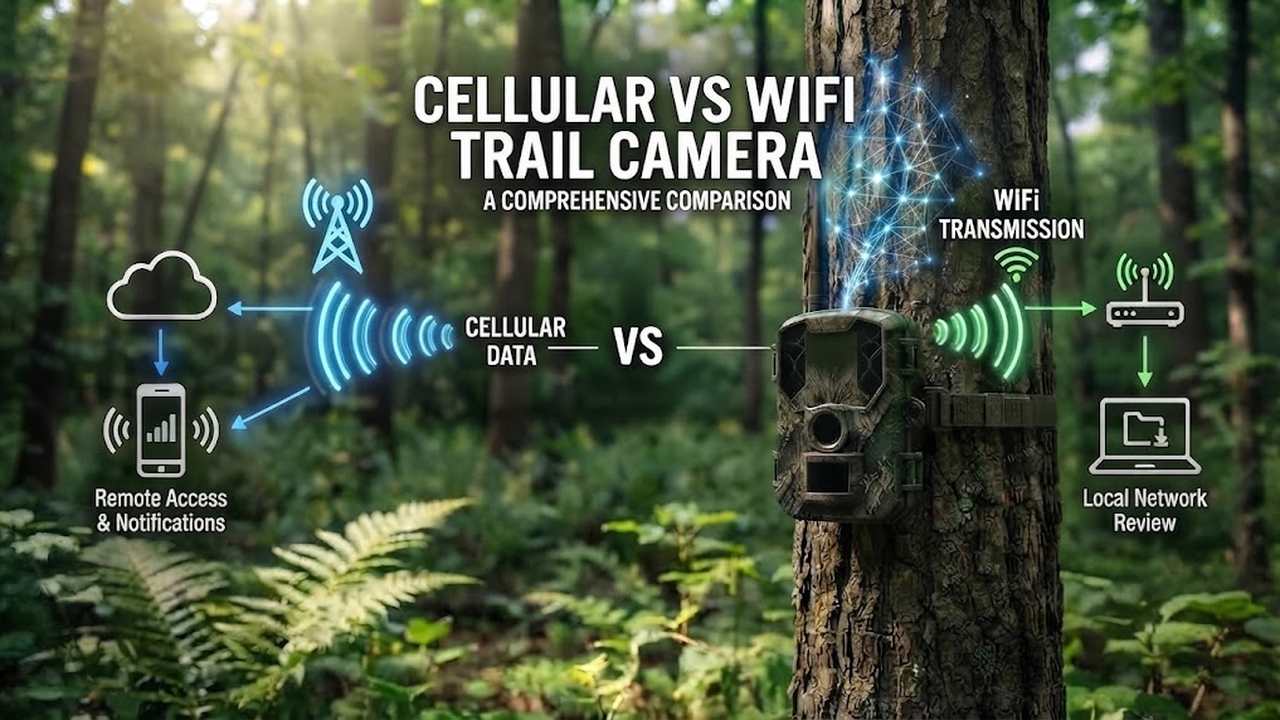
Should a trail camera run on cellular or Wi-Fi? For most B2B buyers this is the first real connectivity decision — and the one most often framed the wrong way. The question is not "which one is better." It is "where are the cameras, and who owns the customer?" Get it wrong and you either pay for data plans you don’t need, or find half your cameras sitting outside Wi-Fi range.
It is also one of our most-asked questions, because more buyers than ever are building their own app or platform. For the broader picture — how a cellular camera works and how it compares with SD-card and Wi-Fi models — see our cellular trail camera explainer.
Two connections, and a third fallback
Trail cameras move images one of three ways — the first two live, the third a fallback:
- Cellular — a built-in modem with a SIM or eSIM joins the mobile network and pushes photos to a server or app, usually within minutes. Works anywhere there is signal; no local network needed.
- Wi-Fi — the camera joins an existing wireless network (a router) and uploads over it, near-instant on a good local link. No data plan, but it must sit within range of an access point.
- SD-card / standalone — no transmission at all. Photos are written to a card and collected by hand. Still useful where neither connection reaches.
This article focuses on the first two; the explainer covers all three in detail.
| Aspect | Wi-Fi | Cellular |
|---|---|---|
| Remote access | No — must be near the router | Yes — anywhere with signal |
| Monthly fee | No (uses existing internet) | Yes (data plan per device) |
| Best for | Yard, office, gatehouse, fixed sites | Fields, fences, remote assets, multi-site |
| Setup effort | Joins your LAN like any device | Needs a SIM/eSIM and carrier coverage |
| Data path owner | The customer’s local network | Carrier network, then your server or app |
| Power draw | Low | Higher (transmitting over the network) |
Coverage: where you can actually put it
This is usually the deciding factor. A cellular camera works wherever there is usable mobile signal — a remote hunting lease, the far end of a farm, a site with no broadband. Its range is the carrier’s range, not your building’s.
Wi-Fi is bounded by the router — coverage is tens of metres, not hectares. You can extend it with repeaters, but each extension means more hardware, more power, and one more thing to fail. For a camera 300 metres from the nearest building, extending Wi-Fi becomes a second installation; cellular needs only a SIM.
Honest note: cellular is only as good as the signal at the spot. In a deep valley or a metal-sided barn, both can struggle. A quick site survey beats assumptions every time.
Cost: a plan per camera, or bandwidth you already pay for
Cellular means a data plan per device — usually a small monthly fee, since trail-camera traffic is light, but at scale it is a line item per camera, every month. Who pays it is the subject of our subscription model guide.
Wi-Fi rides internet you already pay for, so there is no per-camera plan — but you need signal where the camera sits, often via repeaters. A few cameras around a yard: Wi-Fi is usually cheaper. Dozens across acres: the cellular plan often costs less than wiring Wi-Fi everywhere.
For a platform build there is a third angle: when the end user supplies the Wi-Fi and the account, the recurring cost sits with them, not you — and you stay out of the data business. Our MMS / SMTP / FTP comparison shows the cellular routes that avoid a vendor cloud entirely.
The real question: who runs the app?
Most comparisons skip this, yet it usually decides the buy. Two kinds of B2B buyer:
- Buyers who want the camera’s own app and cloud. They resell it as-is or with light branding, letting the supplier’s platform handle the software. Cellular is the natural fit — it works out of the box, anywhere.
- Buyers building their own platform. They have their own app, backend and user accounts, and the camera must feed their system. For them the spec is not "cellular or Wi-Fi" but four harder questions: can it talk to my backend? use my SIM and APN? let my users skip your app? and can your logo come off?
That second group is not theoretical. A UK team building a wildlife-gardening app asked for a Wi-Fi camera posting straight to their own backend, their logo on, our app gone. A US startup wanted a pocket-sized 4G module live-streaming to their private server on their own SIM. Different connections, same demand: hardware and an API, not someone else’s platform. What "bring your own" involves is in our BYO SIM guide.
Both connections can do this. So the choice between them comes down to where your users are and who pays for the data.
What buyers ask us before they order
If you are building a platform, these are the questions that come up first — and the ones worth answering in writing before any money moves:
- Documentation before purchase. API, SDK and server-integration docs, sent up front, not after a PO.
- My SIM, my APN, my server. Written confirmation the camera will run on your own SIM and point at your own endpoint.
- Your app gone, your logo on. The end customer never installs the supplier’s app, and supplier branding is removed.
- OTA firmware updates. So the fleet updates in the field, not shipped back.
- Live streaming, and how. Continuous or on-demand, and which protocols — settled before you commit to hardware.
- Carrier approval in writing. For the US, that means T-Mobile and Verizon IMEI approval, not just a claim of LTE band support.
- Size and weight, with photos. Exact dimensions and a shot next to a ruler or in a hand — especially if the camera has to fit inside your own product.
- One sample first. Buy one to three units, test the integration, then scale.
Can you run Wi-Fi instead of 4G, same architecture?
Yes — and it comes up more than you would think. Connectivity is a module choice, not a redesign: the upload logic, API and cloud path stay the same whether the camera uses a cellular modem or a Wi-Fi chip. If you like a model’s hardware but need the other connection, ask early — it changes certification and the power budget, and is far cheaper to settle before tooling. Our connectivity technology page lays out the five delivery paths we build.
Hybrid is normal, not a compromise
Lots of rollouts mix both — Wi-Fi at the yard, office and gatehouse, cellular out in the fields and on remote assets. They are not rivals; a supplier offering both lets you match the device to the location.
Where Xlinkcam fits
We build both sides of this decision as distinct product families, not one locked model. That matters when your order spans a mix of sites:
- Cellular families — live-stream and cloud-storage units that push over 4G/LTE with your SIM, your server, or your app behind them.
- Wi-Fi and hybrid builds — same firmware and API surface, swapped modem, so your integration code does not change.
- Control stays with you — bring-your-own SIM, direct upload to your bucket or webhook, white-label and OTA, with carrier certification handled per market.
In short: we hand you hardware plus an interface, not a subscription you have to resell. The connectivity choice is yours to make per location.
A practical decision frame
When a distributor or brand weighs which to spec, the questions are practical, not technical:
- Where are the cameras? Spread across coverage gaps → cellular. Clustered near a building → Wi-Fi may do.
- Who owns the app? Building your own platform → make sure the camera is hardware plus API, on your SIM and your server. Reselling the supplier’s platform → cellular is the easy default.
- How fast do you need the photo? Alerts without site visits → cellular or Wi-Fi. Hand collection is fine → SD-card works.
- What is the per-camera budget? Few cameras, Wi-Fi already there → Wi-Fi wins. Many remote cameras → cellular plans beat building Wi-Fi.
- Who owns the data? Want it in your cloud → cellular with your own SIM and direct upload. Fine on the local network → Wi-Fi.
Bottom line
There is no universal winner. Cellular wins on placement freedom, scale and remote alerts, at the cost of a data plan per device. Wi-Fi wins on zero per-camera fees where coverage already exists, at the cost of range and infrastructure. For a buyer building a platform the real tie-breaker is control — your app, your SIM, your brand.
Practical takeaway: spec from a map, not a brochure — list the camera locations, mark the ones with usable Wi-Fi, and let the rest set the cellular count.
Talk to us. Send the locations, the sites that already have coverage, and whether you are building your own app — we will help you split the order and, if needed, ship a sample unit first so you can test the integration before committing to volume. Start the conversation.